Changes where they live
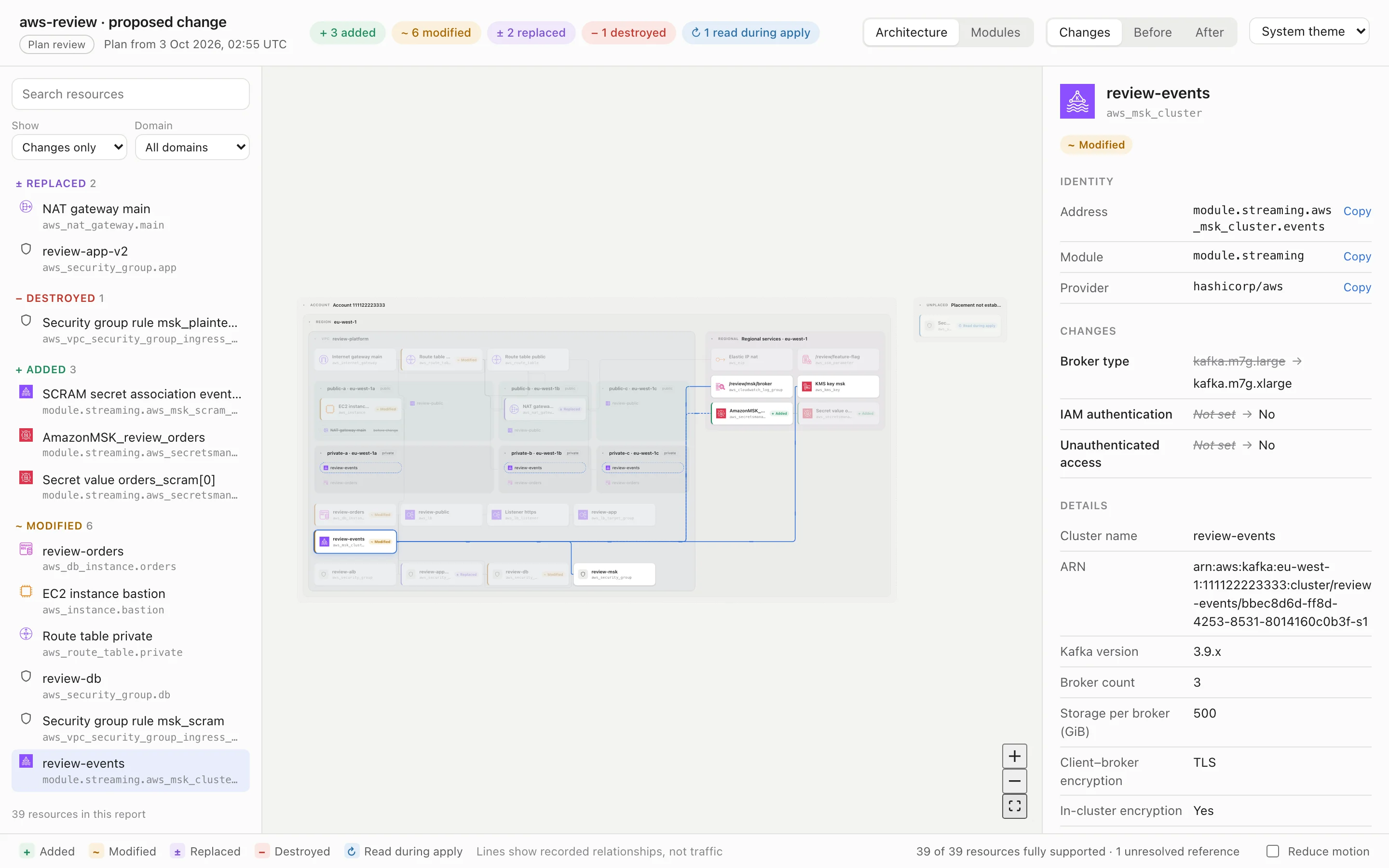
Every resource sits in its account, region, VPC and subnet, marked as added, modified, replaced or destroyed. Follow a change to everything it touches.
tfviz turns Terraform and OpenTofu plans and state into a calm, interactive architecture diagram. You get one offline HTML file, with secrets left out by design.
Get started Open the live demo
Works with your tools
A plan is hundreds of lines of changed attributes. tfviz shows what's actually changing, where it lives and what it touches.
Every resource sits in its account, region, VPC and subnet, marked as added, modified, replaced or destroyed. Follow a change to everything it touches.
Only approved fields reach the report. Passwords, user data, tags and policies never do. A changed secret shows as “Sensitive value changed”, never the value.
The report is a single HTML file that opens from disk. There's no server, no account and no telemetry. Attach it to a pull request or keep it as a CI artefact.
OpenTofu works the same way: replace terraform with tofu.
Nothing changes in how you work.
terraform plan -out=tfplanThe exported JSON never touches your disk.
terraform show -json tfplan \
  | tfviz plan --input - \
--output review.htmlAny modern browser, fully offline.
open review.htmltfviz reads your plan, keeps only the fields each resource type is approved to show, and turns sensitive values into markers with no payload. Tests search every report for planted secrets on every change.
--safe-share replaces names, IDs, ARNs and addresses for wider audiences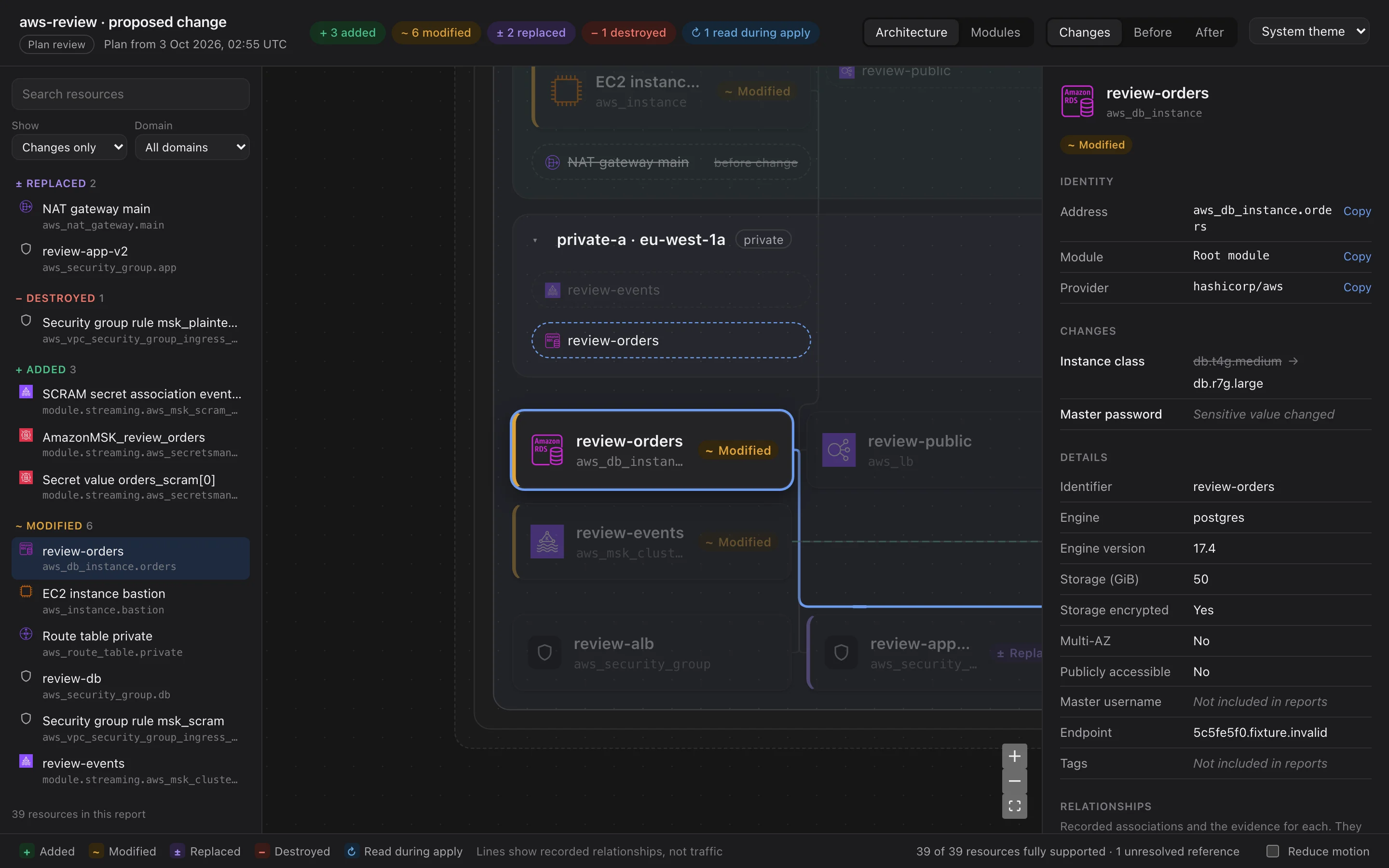
Everything a reviewer needs before approving a change, and nothing that needs a server.
Architecture and module views, with Changes, Before and After.
Select a resource to see what it touches, with the evidence for each link.
Read state locally or straight from S3 with your usual AWS credentials.
The same interface served only to you, with Refresh after you apply.
Consistent stand-ins for identifying details, so reports can leave the team.
Use the icon pack you download from AWS, embedded in each report.
Run it on your own infrastructure and tell us what's missing or wrong. Every report stays on your machine.