Producers
Tested with Terraform 1.16 and OpenTofu 1.13: plan and state from show -json, and version-4 .tfstate files. Other versions with the same JSON format usually work but aren't promised.
AWS-first, built for Terraform and OpenTofu, and entirely local. Here's what tfviz does today.
A plan becomes an architecture diagram: account, region, VPC, subnets and regional services. Every resource is marked as added, modified, replaced, destroyed or read during apply, with a symbol and a word as well as a colour.
Replacements are counted once, and the inspector shows the order Terraform will use, so a destroy-first replacement stands out.
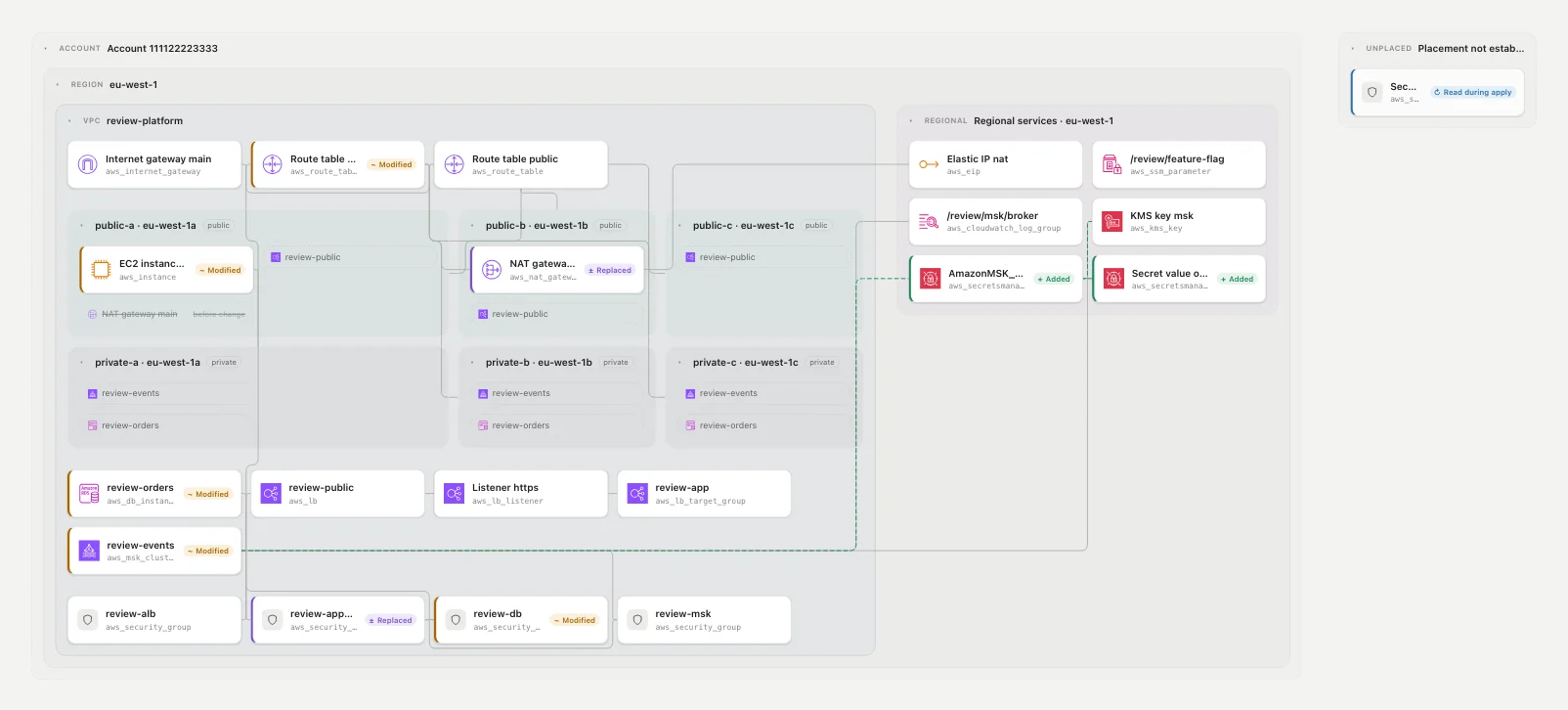
Select a resource to highlight its recorded relationships: subnets, security groups, secrets, keys and log destinations. The inspector lists each change field by field, with the evidence behind every relationship.
Lines show recorded associations, not live traffic. Anything tfviz can't resolve is listed as unresolved rather than guessed.
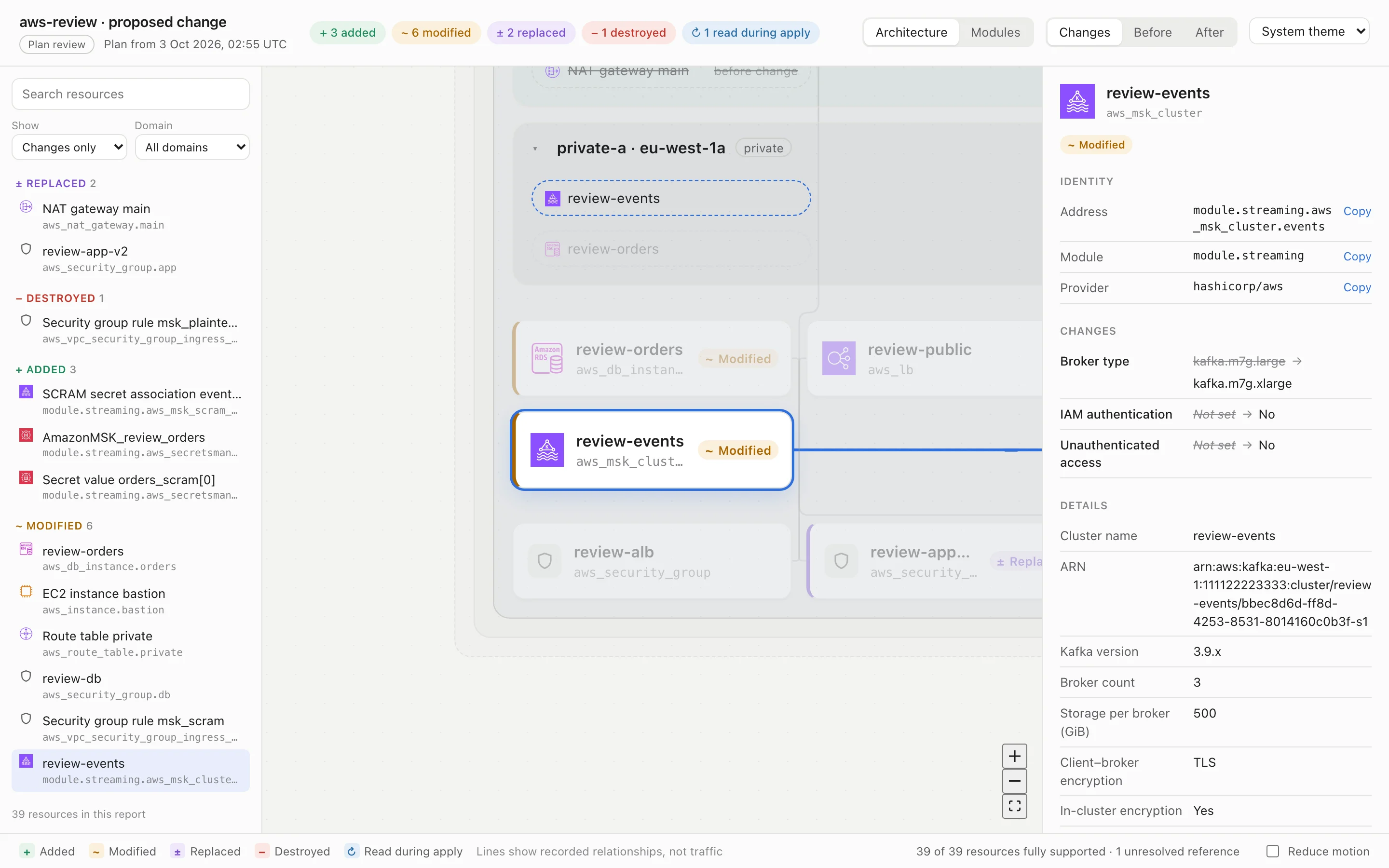
Read exported state JSON, a version-4 .tfstate file, or the exact object in S3 using your usual AWS profile or SSO session. tfviz makes one read-only GetObject request and never takes a state lock.
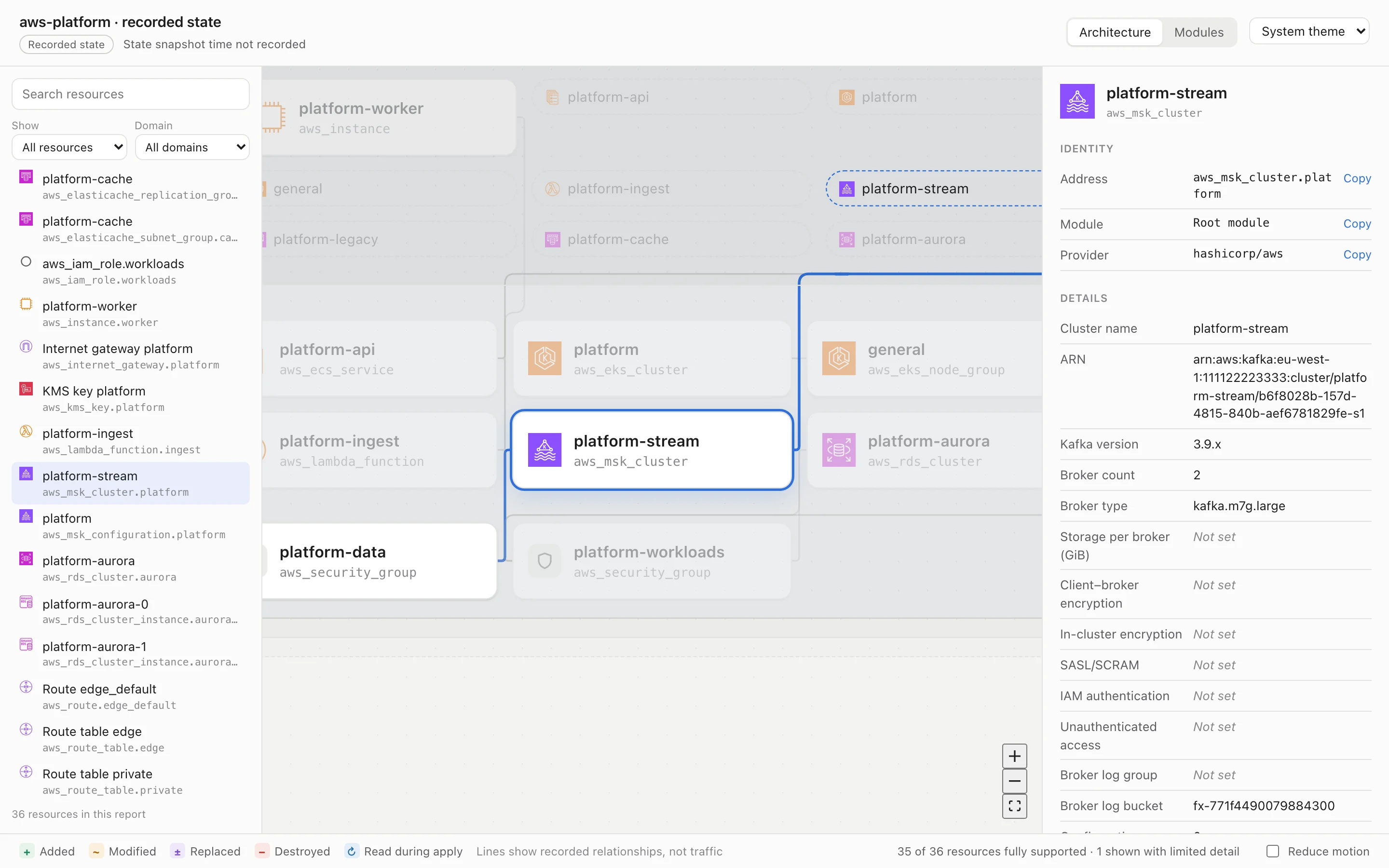
Switch to the module view to see resources grouped the way your code is organised. Large groups start collapsed with a count of what's changing, and search opens the path to what you're looking for.
tfviz explore serves the same interface on your machine only, behind a one-time link. Press Refresh after you apply.
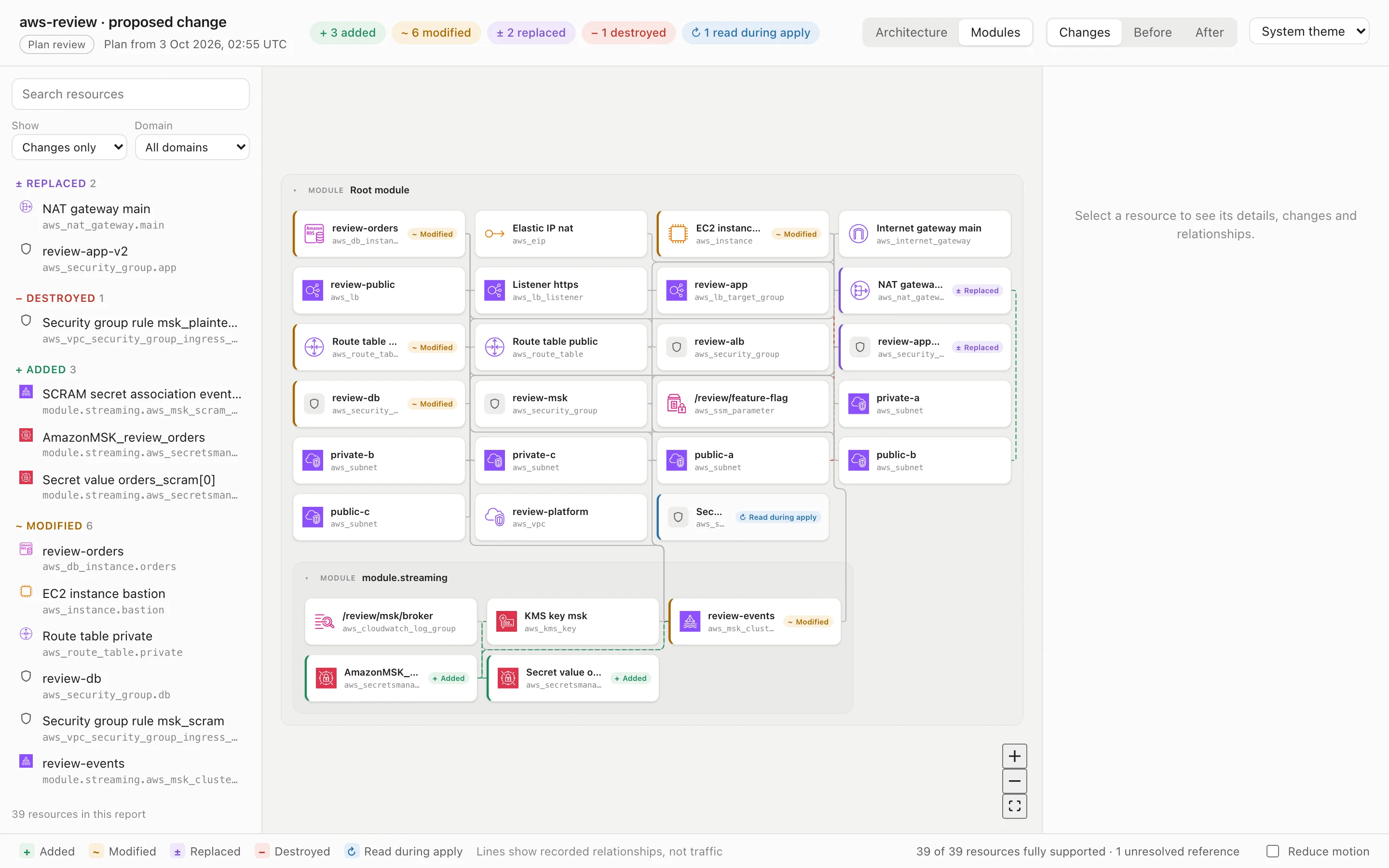
--safe-share replaces names, Terraform addresses, IDs, ARNs, account numbers, DNS names, IP addresses and CIDR ranges with consistent stand-ins. Service types, topology and change categories stay.
The mapping is never written to the report. The architecture itself may still be sensitive, so the report says so.
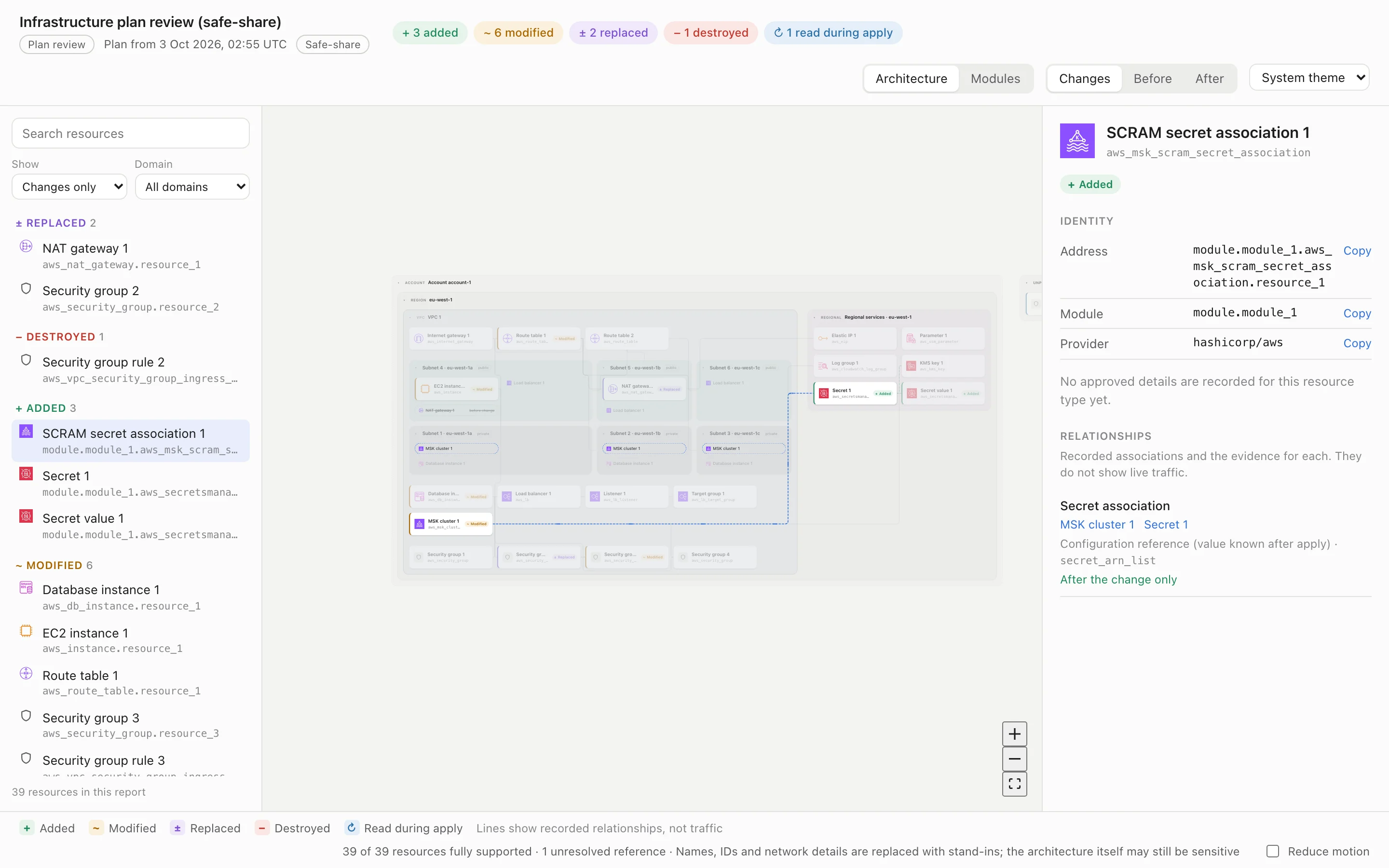
Download the AWS Architecture Icons pack and pass its folder with --icons. tfviz maps 38 resource types to the official icons and embeds the ones each report needs.
AWS allows its icons in architecture diagrams but not bundled in software, so tfviz never ships them.
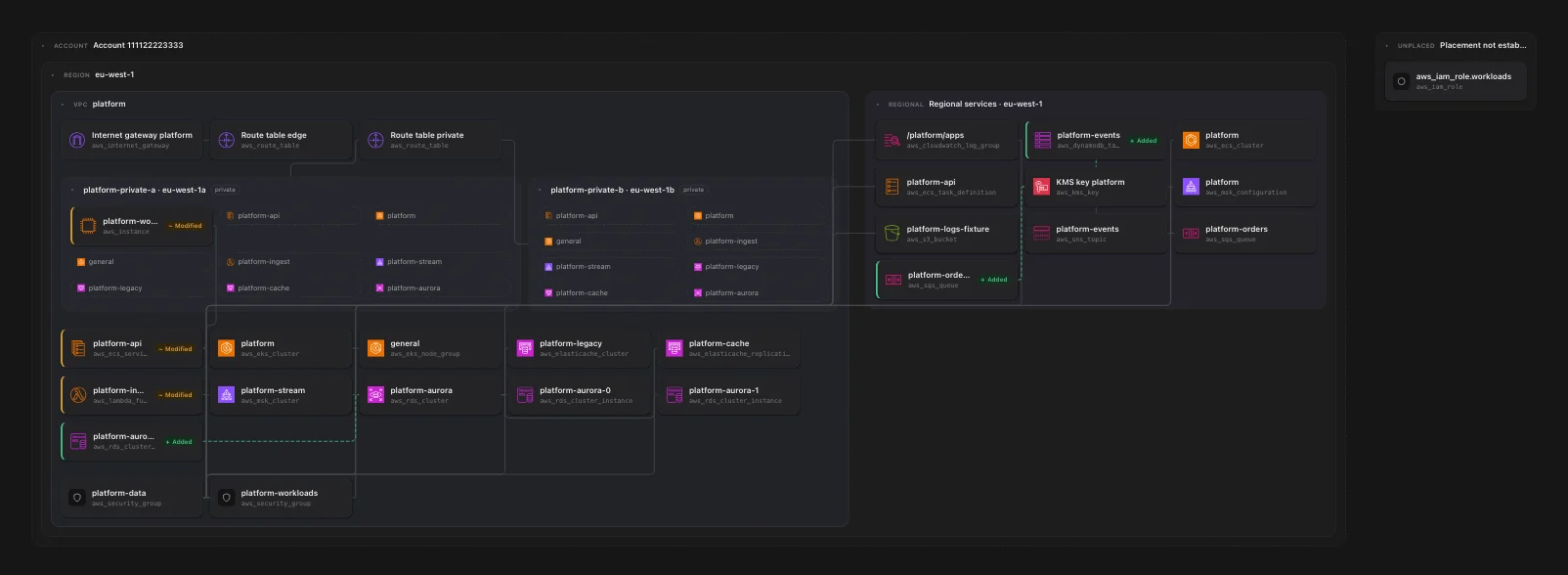
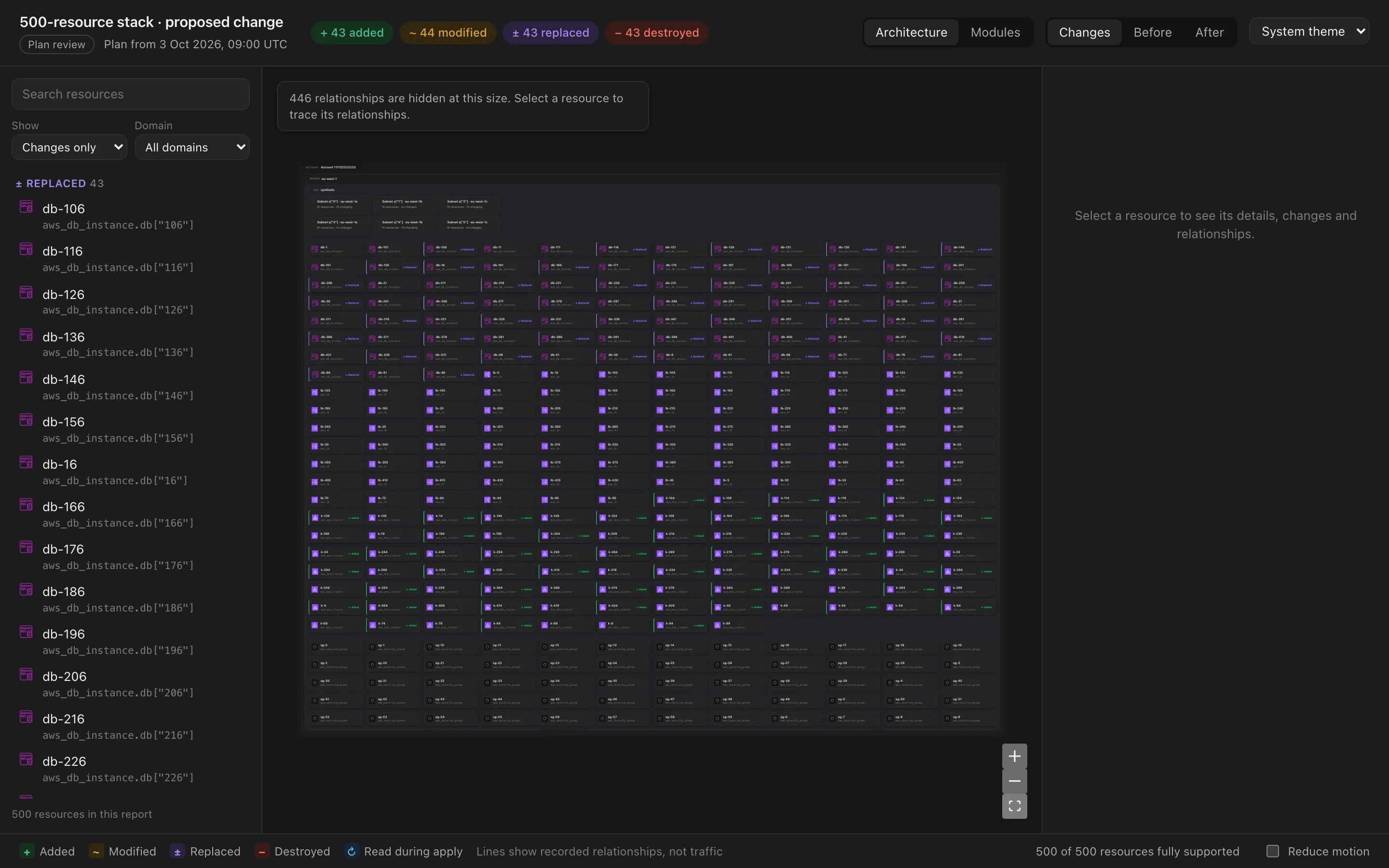
Reports with hundreds of resources open with big groups collapsed, and dense relationships are drawn only for the resource you select. A 500-resource plan builds in about 15 ms and opens in under a second.
Tested with Terraform 1.16 and OpenTofu 1.13: plan and state from show -json, and version-4 .tfstate files. Other versions with the same JSON format usually work but aren't promised.
42 resource types across networking, compute, containers, databases, streaming, messaging, secrets and observability. See the full list.
Unsupported types still appear as limited cards, so nothing is silently dropped. --strict turns any gap into a failure.